
Authentication on the Arena portal of the Montpellier academy relies on several technical layers that, when combined, cause most of the blockages encountered by staff. Academic identifier, initial password derived from NUMEN, second OTP factor, delayed propagation of authorizations: each link in the chain can generate a distinct login failure. Understanding which one is problematic allows for resolving the situation in a few minutes rather than several days of waiting.
OTP Authentication or Password on Arena: Two Mechanisms to Distinguish
The Arena Montpellier login page offers two access modes. The first, classic, requires an academic identifier and a password. The second uses an OTP (One-Time Password) code, generated by a hardware key or received via academic messaging.
| Criterion | Password Login | OTP Login |
|---|---|---|
| Required Identifier | Academic identifier or email address | Academic identifier |
| Secret Used | Password (NUMEN by default if never changed) | PIN + code displayed on the OTP key |
| Recovery in Case of Forgetting | Via the AIDA portal (NUMEN + identifier) | Requires resetting the OTP device through support |
| Applications Concerned | All standard Arena tiles | Sensitive applications (HR data, i-Prof for certain operations) |
| Frequent Blockage Risk | Expired password or never personalized | Forgotten PIN, OTP key not activated |
Staff who encounter the OTP request for the first time often fall into a trap: they only enter their date of birth (sometimes pre-registered as a temporary PIN) without the key code. The OTP field expects the concatenation of the PIN and the generated code, not one or the other separately.
For teachers facing recurring difficulties, a detailed guide on authentication on Arena Montpellier academy lists the most documented causes of blockage and their solutions.

Propagation of Rights in Arena Montpellier: The Delay That Creates False Blockages
A recurring scenario arises: the connection succeeds, the Arena portal displays, but the sought application (EPSnet, i-Prof, LSU) does not appear in the tiles. This is not a strict authentication problem. It is a rights issue.
The propagation of rights in Arena is not instantaneous. When a head of establishment validates a service delegation, several hours may pass before the corresponding tile appears on the portal of the concerned agent.
Service Delegation and Missing Tiles
The Arena portal is personalized according to each user’s profile. A middle school teacher does not see EPSnet by default, as this application concerns the organization of certification tests for high school. To access it, the head of establishment must first create a service delegation.
- Check with the secretariat that the delegation has been correctly entered into the academy’s authorization system.
- Wait for synchronization (the delay varies, but rarely exceeds a day) before attempting to log in again.
- Log out and then log back in after the delay, as rights do not update in an active session.
- If the tile remains absent after this delay, contact support via the “Need help” link at the bottom of the Arena page.
Confusing a lack of rights with a failed authentication leads to unnecessarily resetting one’s password, which can further complicate the situation.
Password Reset for Arena via AIDA: Procedure and Common Pitfalls
The AIDA portal (accessible from the Arena Montpellier login page via the “Lost/forgotten identifier or password” link) allows users to recover their access. The procedure requires two pieces of information: the NUMEN and the academic identifier.
Academic Identifier and NUMEN: Two Distinct Data
The confusion between these two elements is the source of most reset failures. The NUMEN is a number assigned to each agent of the National Education, communicated upon taking office. The academic identifier, on the other hand, is a string of characters (often the first letter of the first name followed by the last name) that serves as a login on Arena.
Newly appointed teachers and substitutes are the most exposed to this blockage. Their academic identifier is sometimes communicated late, and the default password (the NUMEN itself) has never been changed. As a result, they attempt to log in with the NUMEN in the identifier field, which systematically fails.
Expired Password or Never Personalized
Arena imposes robustness criteria on passwords. If the default password (NUMEN) remains active after a certain time, the system may consider it expired and block access without an explicit error message. Changing one’s password via AIDA upon first login avoids this scenario.
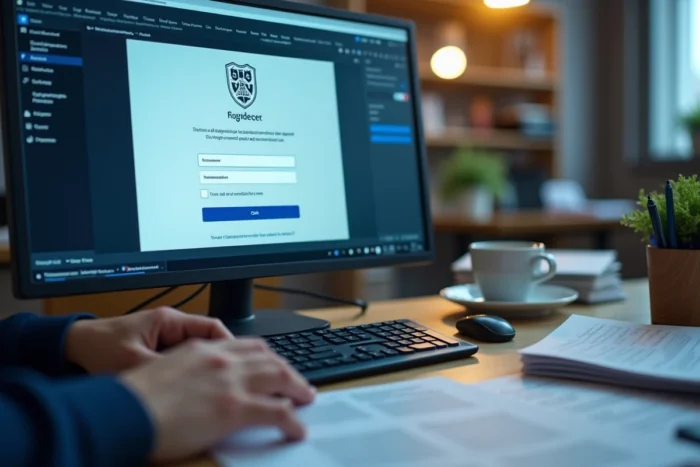
Connecting to Arena Montpellier from a Personal Device: Settings to Check
Accessing the Arena portal from a personal computer or phone generates errors not encountered on the institution’s network. Two factors explain the majority of these cases.
- The browser blocks session cookies from the domain ac-montpellier.fr, preventing Arena from maintaining active authentication. Allowing third-party cookies for this domain resolves the issue.
- An active VPN or corporate proxy redirects requests to an IP address not recognized by the academic firewall, causing a timeout or connection refusal.
- The browser cache retains an old expired session. Clearing the cache or using a private browsing window allows for starting from a clean session.
The unique access URL for the Montpellier academy is arena.ac-montpellier.fr, regardless of the agent’s status or assignment. Any other address (saved shortcuts, expired links) risks leading to an error page or incorrect redirection.
Securing passwords remains a constant reminder from the academy: the password should only be known to the user, and regular modification via AIDA constitutes the first line of defense against unauthorized access. A persistent blockage after all these checks falls under the academic technical support, accessible directly from the Arena page.