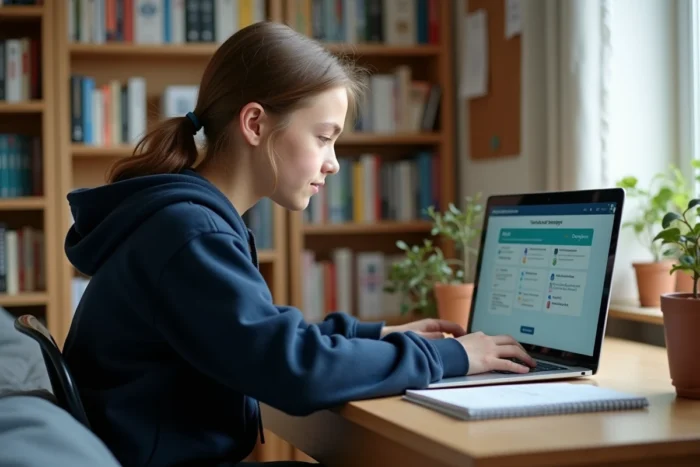
The display of class lists on the ENT directly depends on the configuration calendar at the institution and the authentication method used. Accessing your class in advance requires understanding these technical mechanisms, not just logging in “at the right time”.
EduConnect Authentication and Early Access to Class Lists
The generalization of EduConnect as a single authentication gateway changes the game for viewing your class before the start of the school year. A single identifier provides access to multiple ENTs (Pronote, Mon ENT Occitanie, ENT Auvergne-Rhône-Alpes, L’Éduc de Normandie, ENT 41), allowing you to monitor the appearance of assignments in different tabs without juggling multiple accounts.
The gradual phasing out of old local accounts or those specific to certain ENTs makes this preliminary step non-negotiable. A student who retains an old “institution account” identifier risks losing access at the precise moment when the lists are published, usually at the end of August.
We recommend checking as early as July that the EduConnect account is active and functional. Some regional ENTs, like that of Auvergne-Rhône-Alpes, require SMS code verification in addition to EduConnect. If the phone number linked to the student record is not up to date, the blockage occurs exactly when class information becomes available. To delve deeper into this topic, you can see the content from Synopsis Mag that details the various platforms involved.

ENT Tabs Where the Class Appears Before the Start of the School Year
The class does not appear in the same place depending on the ENT used. The sections to monitor are as follows:
- “My Schooling” or “My File”: these sections display the assignment as soon as the administration validates the distributions in the student database. This is often the first place to be updated.
- “Pronote” (accessible via the ENT): the timetable and class list appear when the institution has finalized its settings, sometimes several days after the update of “My Schooling”.
- “School Life”: this tab gathers information on absences and groups, but it reflects the data from Pronote, thus with the same delay.
The key technical point to remember: the display depends on when the head of the institution publishes the data, not on a uniform national calendar. Some colleges make the lists visible as early as the last week of August, while others wait until the day before the start of the school year.
Institution Configuration and Publication Deadlines on the ENT
The student database (SIECLE) feeds the ENT through scheduled synchronizations. The ENT administrator of the institution decides the frequency of these synchronizations and when the data becomes visible to families.
In practice, three factors delay access to the class:
- The end-of-year class councils are not all held on the same date. As long as the orientations are not validated, the distributions remain provisional.
- Entering the timetables into Pronote or EDT takes time. An institution that completes this entry late mechanically delays the visibility of the groups.
- Some institutions intentionally block access to the lists to avoid requests for class changes before the start of the school year.
We observe that institutions using a well-integrated ENT (daily automatic synchronization with SIECLE) display classes earlier than those that proceed with occasional manual imports.

Optimizing Learning as Soon as Accessing Your Class on the ENT
Knowing your class in advance is only useful if this information is used to prepare for the school year in a concrete way. The ENT offers several actionable levers as soon as the assignment is visible.
Access to Digital Textbooks and Course Resources
On several regional ENTs, digital textbooks are accessible as soon as assigned to a class. The ENT of Aisne, for example, offers quick access to textbooks and course resources related to the school level. Reviewing the programs and materials before the first day of class allows students to identify new subjects and prerequisites.
Consulting the Timetable to Organize Study Sessions
The timetable, when published in advance on Pronote via the ENT, provides a clear view of the hourly volumes by subject. A student who notices a significant volume in a subject where they had difficulties can target their summer revisions on these specific points.
Anticipating subjects with high hourly volumes reduces back-to-school stress and allows for a solid foundation. This approach is more effective than general, non-targeted revisions.
Detecting Weak Signals Through ENT Data
On the side of teachers and educational teams, utilizing ENT data allows for detecting weak signals of disengagement. For the student, this means that regular connections to the ENT, consulting resources, and using communication tools (messaging, homework diary) are indicators that are monitored.
A student who connects early and actively consults their resources sends a positive signal to the teaching teams, which can facilitate interactions at the beginning of the year.
Early access to their class via the ENT relies on a chain of technical factors (functional EduConnect, updated phone number, effective SIECLE synchronization) and local decisions from the institution. Checking EduConnect access as early as July remains the only action truly under the control of the student or parent. The rest depends on the administrative calendar of each institution.